Debugging authentik
This page describes how to debug different components of an authentik instance, running either in production or in a development setup. To learn more about the structure of authentik, refer to our architecture documentation.
authentik Server & Worker (Python)
The majority of the authentik codebase is in Python, running in Gunicorn for the server and Dramatiq for the worker. These instructions show how this code can be debugged or inspected. The local debugging setup requires the setup described in Full development environment.
Note that authentik uses debugpy, which relies on the "Debug Adapter Protocol" (DAP). These instructions demonstrate debugging using Visual Studio Code, however they should be adaptable to other editors that support DAP.
To enable the debugging server, set the environment variable AUTHENTIK_DEBUGGER to true. This will launch the debugging server (by default on port 9901).
With this setup in place, you can set Breakpoints in VS Code. To connect to the debugging server, run the command > Debug: Start Debugging in VS Code.
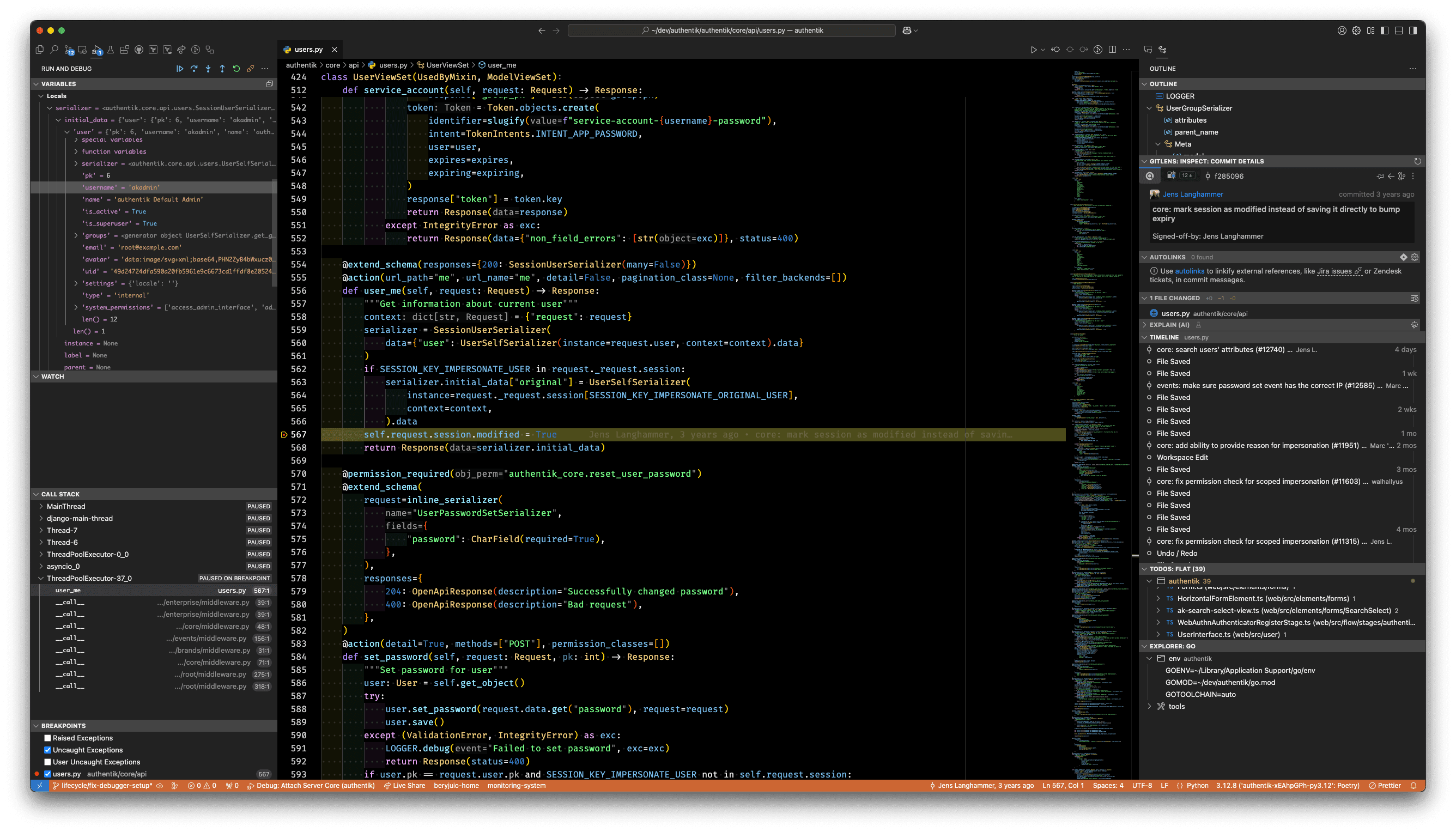
Debug the server or the worker
The server and each worker process run their own debug server on a distinct port, derived from the base port set by AUTHENTIK_LISTEN__DEBUG_PY (9901 by default):
- The server (Gunicorn) listens on the base port (
9901). - The worker runs as one or more processes, controlled by
AUTHENTIK_WORKER__PROCESSES(defaults to1). Each worker process listens on the base port plus an offset, starting at9902for the first process,9903for the second, and so on.
In VS Code, use the Debug: Attach Server Core launch configuration to attach to the server and Debug: Attach Worker to attach to the first worker process. To debug additional worker processes, duplicate the worker configuration and change its port to match (9903, 9904, …).
Debugging in containers
When debugging an authentik instance running in containers, there are some additional steps that need to be taken in addition to the steps above.
A local clone of the authentik repository is required to set breakpoints in the code. The locally checked out repository must be on the same version/commit as the authentik version running in the containers. To check out version 2024.12.3, for example, run git checkout version/2024.12.3.
The debug port needs to be accessible on the local machine. By default, this is port 9901 for the server; the worker uses 9902 and up (one port per worker process). Additionally, the container being debugged must be started as root, because additional dependencies need to be installed on startup.
When running in Docker Compose, a file compose.override.yml can be created next to the authentik compose.yml file to expose the port, change the user, and enable debug mode.
services:
    # To debug the worker container instead, use the `worker` service and map
    # its worker ports (`9902` and up) rather than `9901`.
    server:
        user: root
        healthcheck:
            disable: true
        environment:
            AUTHENTIK_DEBUGGER: "true"
            AUTHENTIK_LOG_LEVEL: "debug"
        ports:
            - 9901:9901
After re-creating the containers with AUTHENTIK_DEBUGGER set to true and the port mapped, the steps are identical to the steps above.
If the authentik instance is running on a remote server, the .vscode/launch.json file needs to be adjusted to point to the IP of the remote server. Alternatively, you can forward the debug port via an SSH tunnel, using -L 9901:127.0.0.1:9901.
authentik Server / Outposts (Golang)
Outposts, as well as some auxiliary code of the authentik server, are written in Go. These components can be debugged using standard Golang tooling, such as Delve.